
Bestogoo Business
All your venue’s tools, together.
Bestogoo is a workspace for restaurants, bars and venues: from the menu guests browse to the activities you manage every day.

Tools at a glance · Bestogoo Business
01 — Explore the tools
Step inside your venue’s workspace.
Choose an area to see what you can manage.
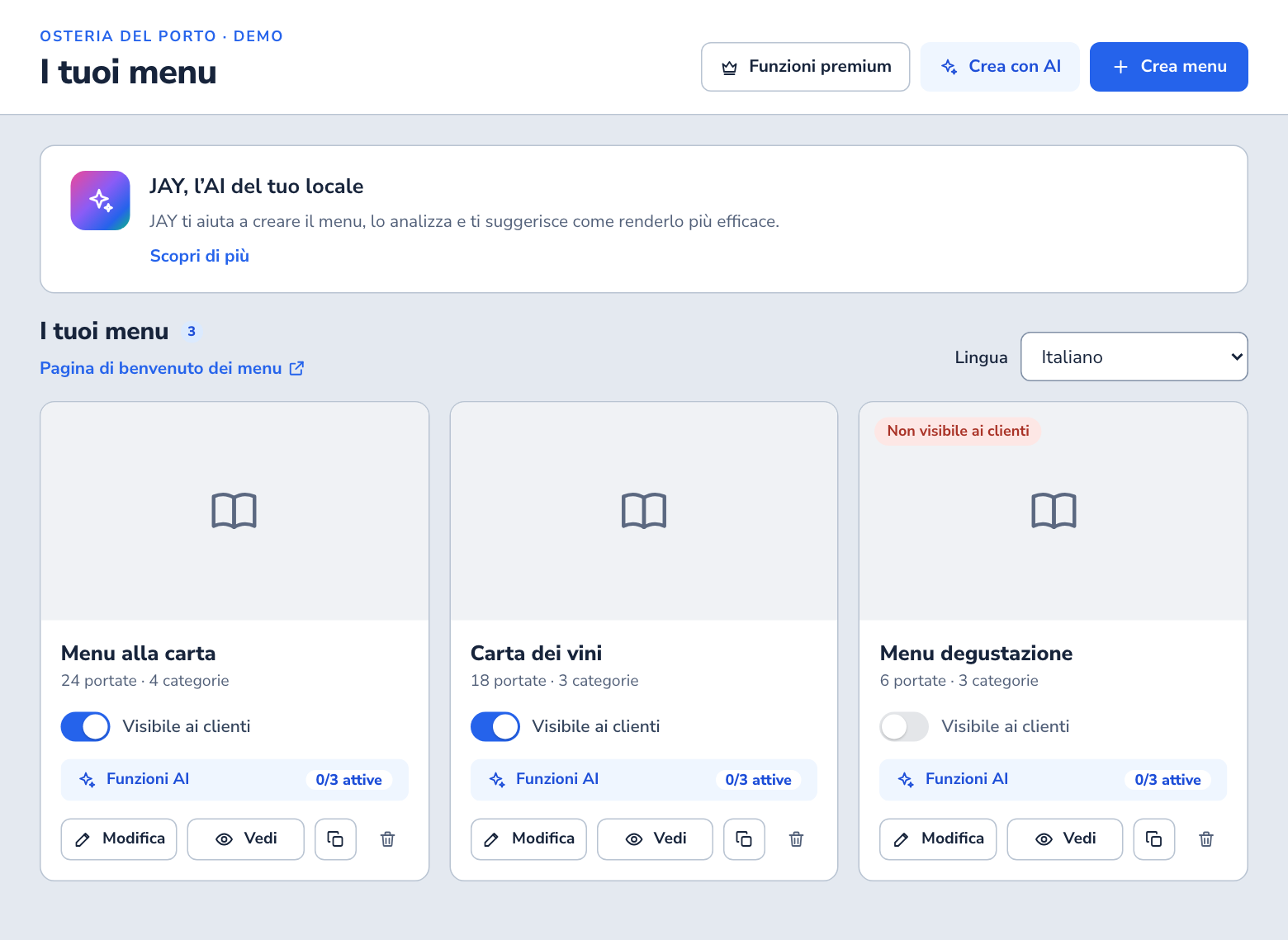
A menu that changes with you.
Organise dishes, categories, prices and photos. Edit descriptions and translations, then share your menu through a link or QR code.
- Catalogue and categories
- Photos and descriptions
- Multilingual menus
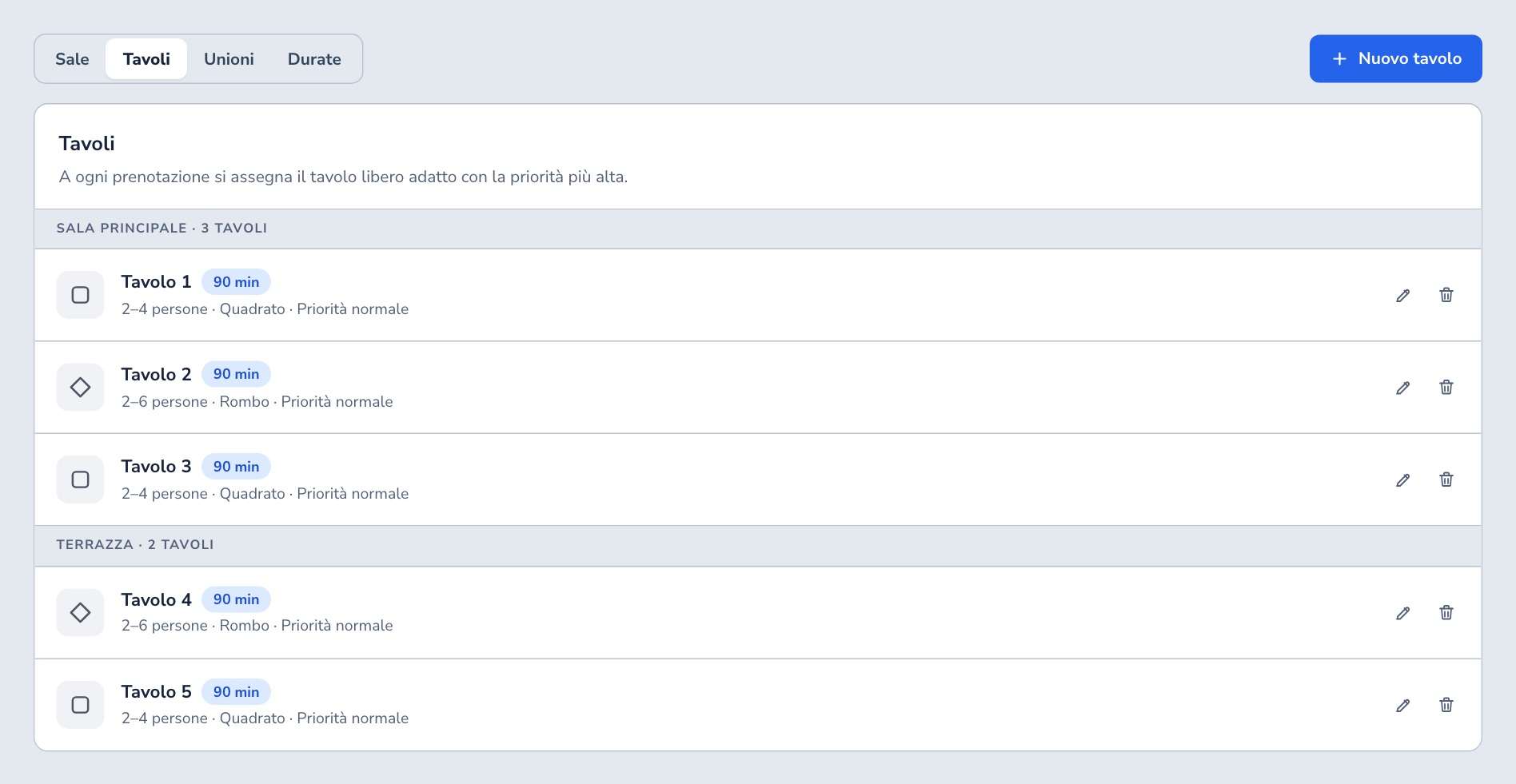
From booking to table.
Organise bookings, dining rooms, tables and shifts. Set up availability and services, and add your booking link to your website.
- Booking calendar
- Dining rooms and tables
- Shifts and widget
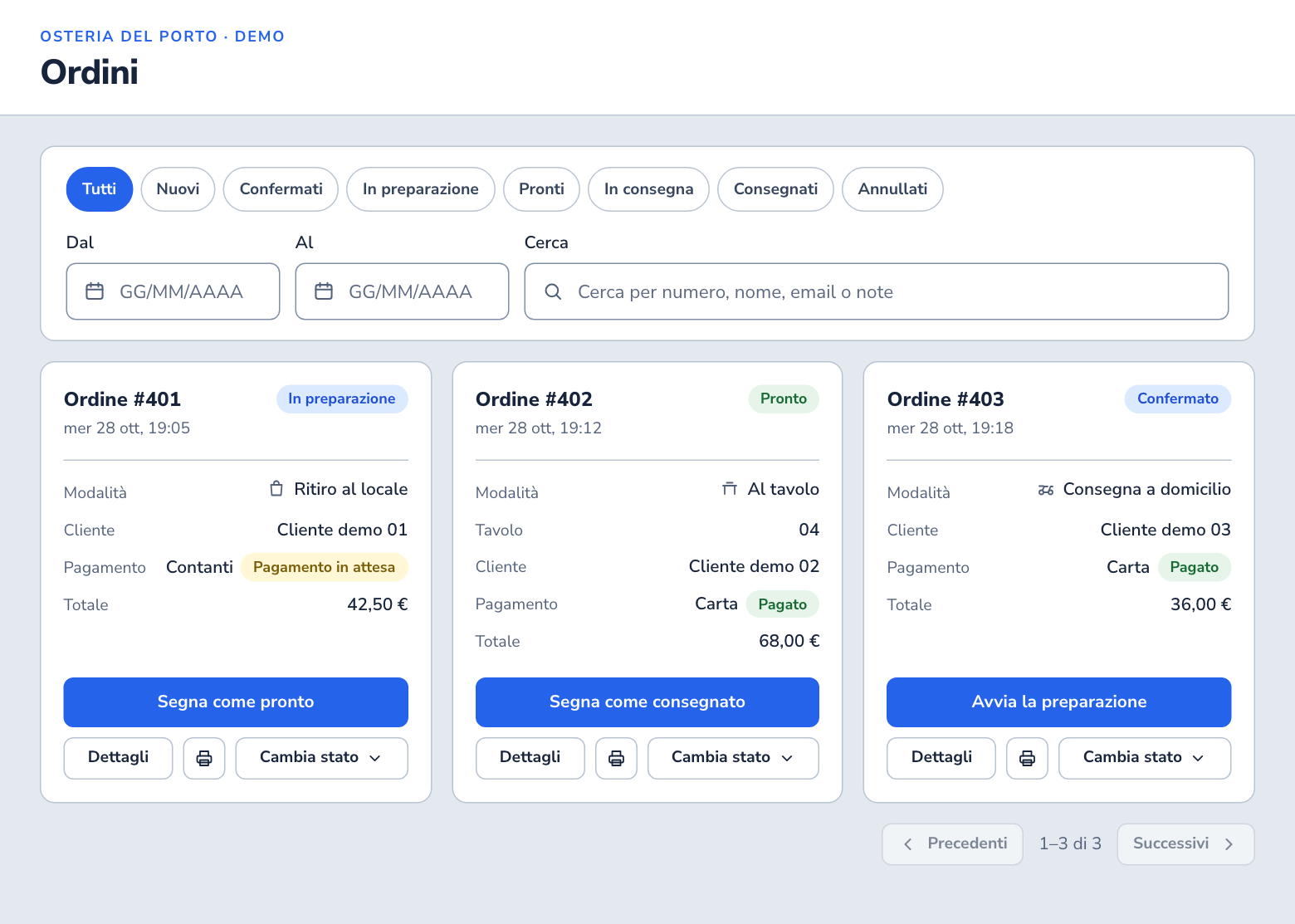
Every order in its place.
View orders and preorders, open their details and follow their status. They aren’t included in the Menu Pro or Premium Plus plans: ask us if you need them.
- Order list
- Status and details
- Preorder settings
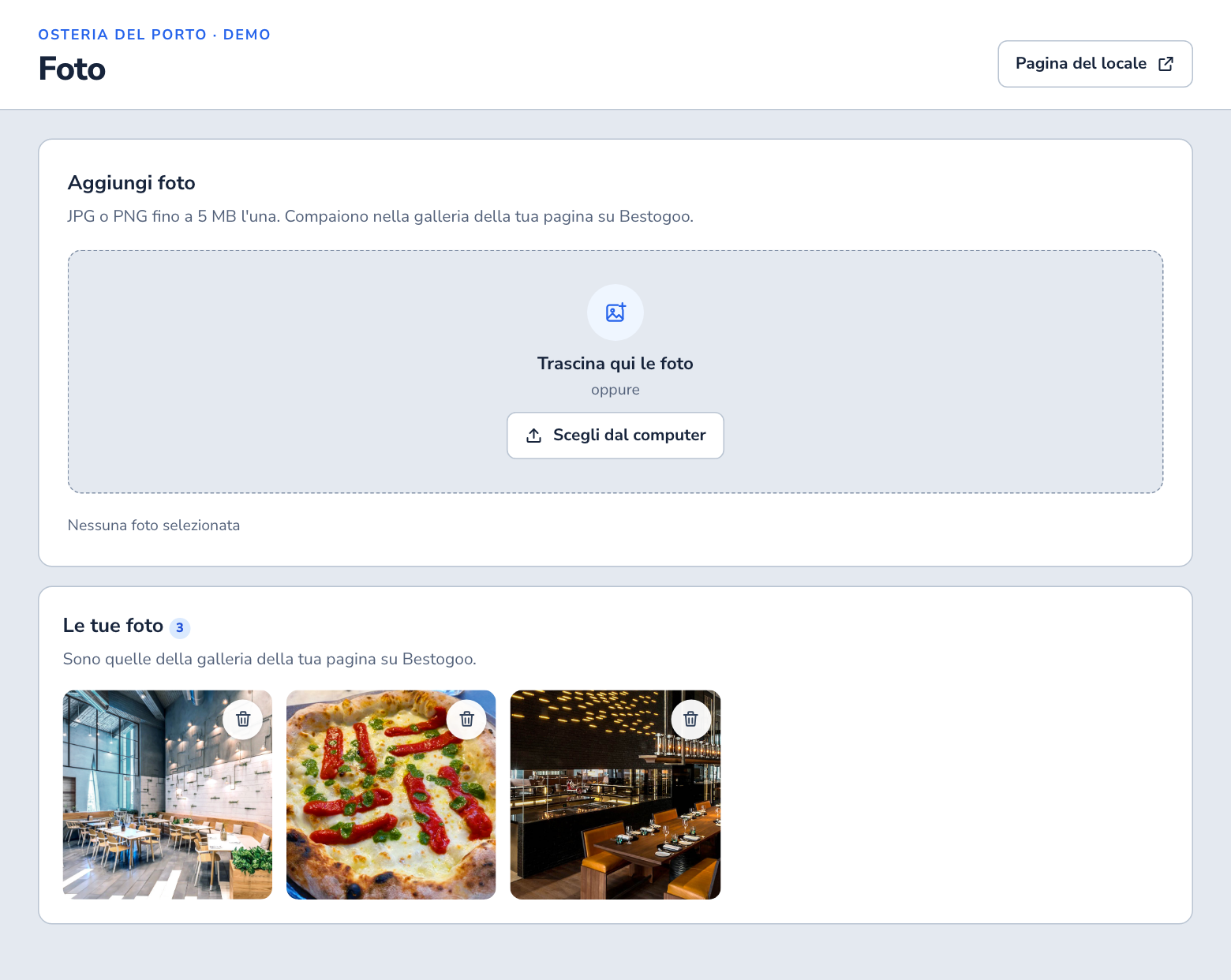
Share what’s happening.
Manage your venue’s photos and content on Bestogoo.
- Photo gallery
- Venue content
- Photo cropping
A view of your work.
Review available booking, guest count and order data, alongside menu and content views. Keep your venue details and account settings up to date.
- Bookings and guest counts
- Recorded orders
- Views and settings
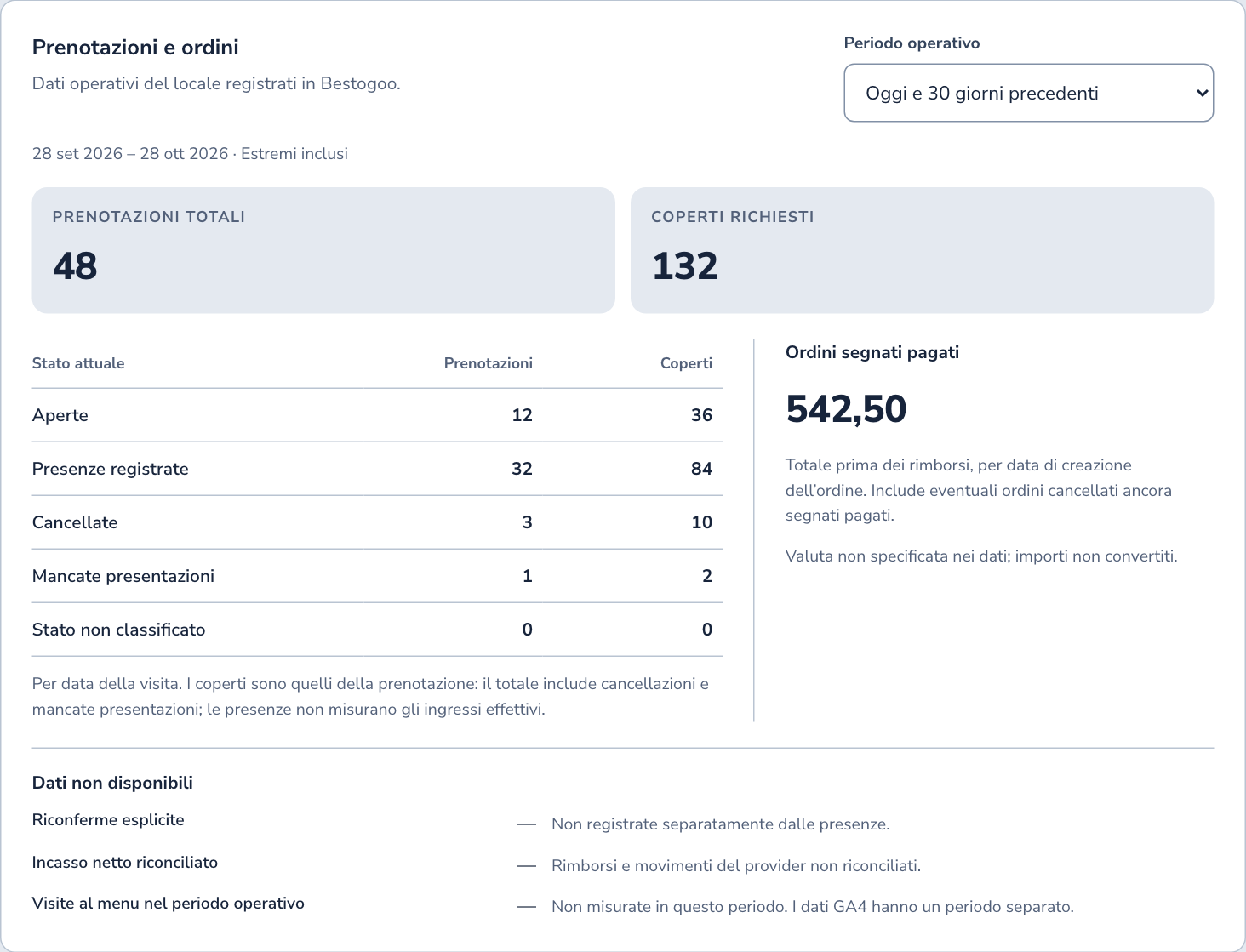
Available features depend on your plan and venue setup. Social features are still being completed.
02 — Why Bestogoo
Fewer phone calls, fewer reprints, more time for your dining room. No commissions.
-
Menu Pro
Dishes that are easy to choose
Every dish can have a photo, description, variants and allergens. Highlight the dishes you want to recommend; if guests can’t decide, “Ask JAY” gives them a suggestion.
-
Menu Pro
Change the menu, not the QR code
Edit dishes and prices whenever you like and guests see them straight away: the QR code on the table stays the same. One click puts your menu into 11 languages, allergens included. Create your first menu from a photo of your paper one, or send it to us and we’ll upload it for you.
-
Premium Plus
Bookings come in while you serve
Guests book at any hour from your Bestogoo page or the link on your website, without calling. Almost half of online bookings arrive between noon and 3 pm or between 7 and 11 pm, while you’re busy serving.
Bestogoo data: 5,402 online bookings at 19 venues, May–November 2026.
-
Premium Plus
Your dining room organises itself
Set up rooms, tables and service length. Every online booking goes to a free table, tables are joined for groups and guests are only offered times with space available.
-
Premium Plus
Fewer empty tables at the last minute
Guests get an email confirmation straight away. The day before, they receive a reminder and reconfirm with one tap. If they can’t make it, they cancel from the email (if you allow it) and the table is free again.
-
Premium Plus, if you turn on the waiting list
A free table goes to whoever is waiting
When you’re fully booked, guests who find no space can join the waiting list. If a table frees up, we offer it to them by email and hold it for as long as you choose.
-
Premium Plus
Get to know your regulars
Every booking adds the guest to your list, with a record of visits and no-shows. The day after the visit we ask them for a rating that only you can see, and invite them to review you on Google.
-
AI receptionist, an add-on
The phone gets answered when you can’t
It answers with your venue’s name and gives opening hours and information from your page. It books free tables, in the same calendar as your online bookings. What it doesn’t know, it doesn’t make up: it sends you an email. It’s an add-on for venues that take bookings, and our office activates it.
Create an account
Sign up and enter your venue details.
Prepare your content
Add your menu, photos and useful information.
Set up your services
Choose tools and check settings before sharing them.