
Bestogoo Business
Digital menu for restaurants, bars and pizzerias
A digital menu is your venue's menu in web form: guests scan the QR code on the table and browse it on their phone, in their own language. With Bestogoo you create it from the menu you already have, translate it into 11 languages with one click and change dishes and prices whenever you like, without reprinting anything.
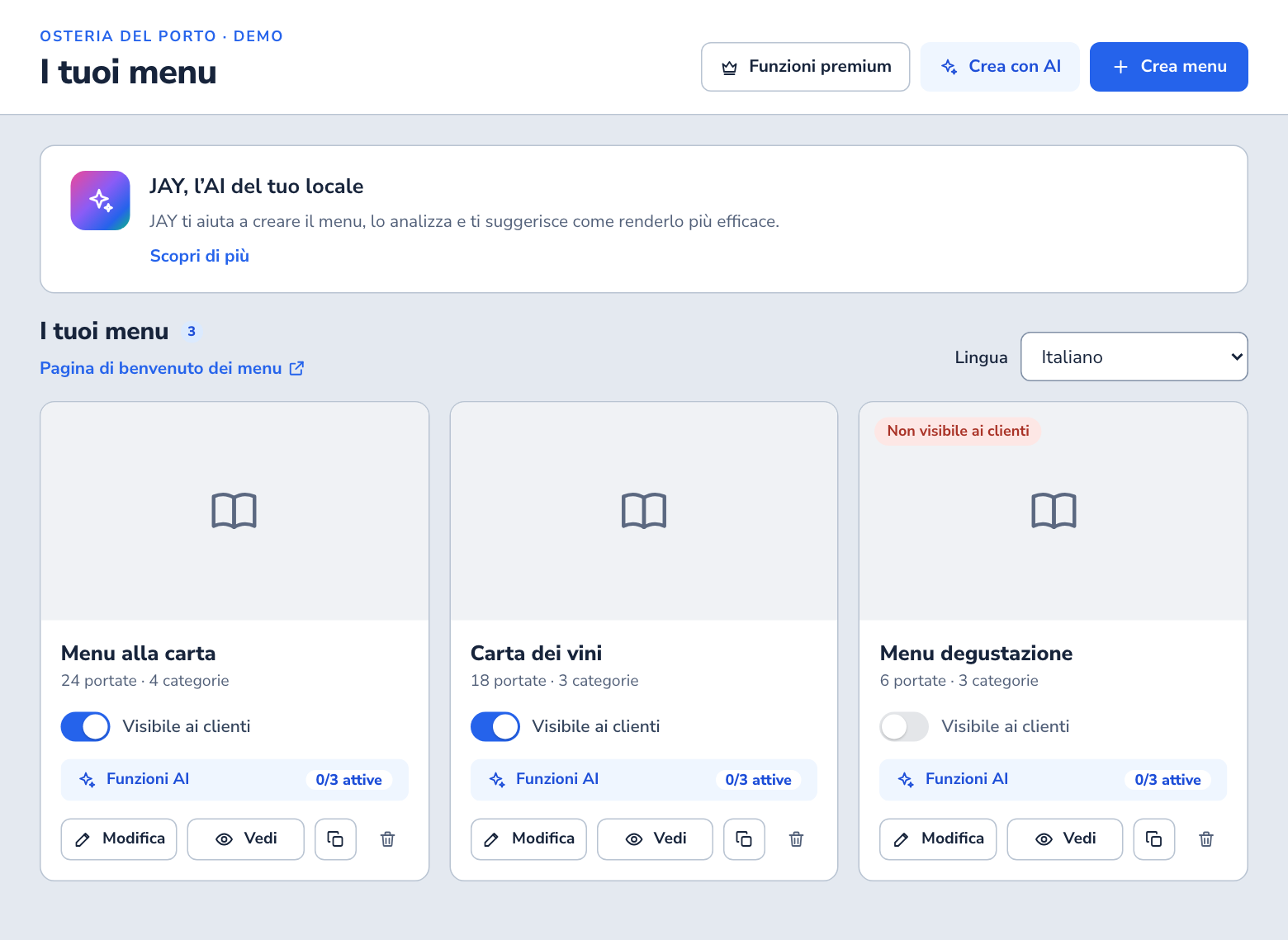
At a glance
- What's included
- Your venue's menu on the web, with a QR code for your tables, translated into 11 languages with one click, with photos, variants and allergens for every dish, and a PDF to print.
- Who it's for
- Restaurants, pizzerias, bars and other venues that often change their dishes and prices or serve foreign guests.
- Key strengths
- The same QR code always opens the up-to-date menu, guests read it in their browser with no app to download, and your paper menu becomes digital, starting from a photo.
What the Bestogoo digital menu does
A QR code for every table
You print the QR code just once: it always opens the up-to-date menu, even when you change dishes, prices or categories.
Translated into 11 languages
With one click your Italian menu is translated into English, German, French, Spanish, Portuguese, Russian, Japanese, Chinese, Hindi and Arabic: foreign guests read it in their own language.
Photos, variants and allergens
Every dish can have a photo, description, price, variants and allergens: guests choose with more confidence and your staff answers fewer questions.
From paper menu to digital
Take a photo of the menu you already have and Bestogoo extracts the dishes and categories for you to review, or send it to us and we'll upload it for you. When needed, you can download the menu as a PDF to print it.
Frequently asked questions
See also
Online restaurant reservations
AI receptionist for restaurants
In-depth guides
Digital menu with QR code: how to create one
What is a digital menu?
It's your venue's menu published online, which guests open with a QR code or a link. It complements or replaces the printed menu, updates instantly and can be read in several languages.
How does the QR code on the table work?
Guests scan the code with their phone camera and the menu opens in the browser, with no app to download. The same QR code stays valid even when you edit the menu.
Can I translate the menu into other languages?
Yes. You write the menu in Italian and with one click Bestogoo translates it into the other 10 languages; whoever opens the menu sees it in the language they choose.
Can I change dishes and prices whenever I want?
Yes, from your venue's admin area. Changes are immediately visible to anyone who opens the menu, without reprinting the QR codes.
Can guests see the allergens?
Yes. You list the allergens for each dish and guests see them next to the dish, even when they read the translated menu.